Technology Stacks Solo Enrolled Agents Use to Run 200-Plus Client Practices Alone
Automate document flow and deadline tracking to scale a solo practice beyond manual capacity.
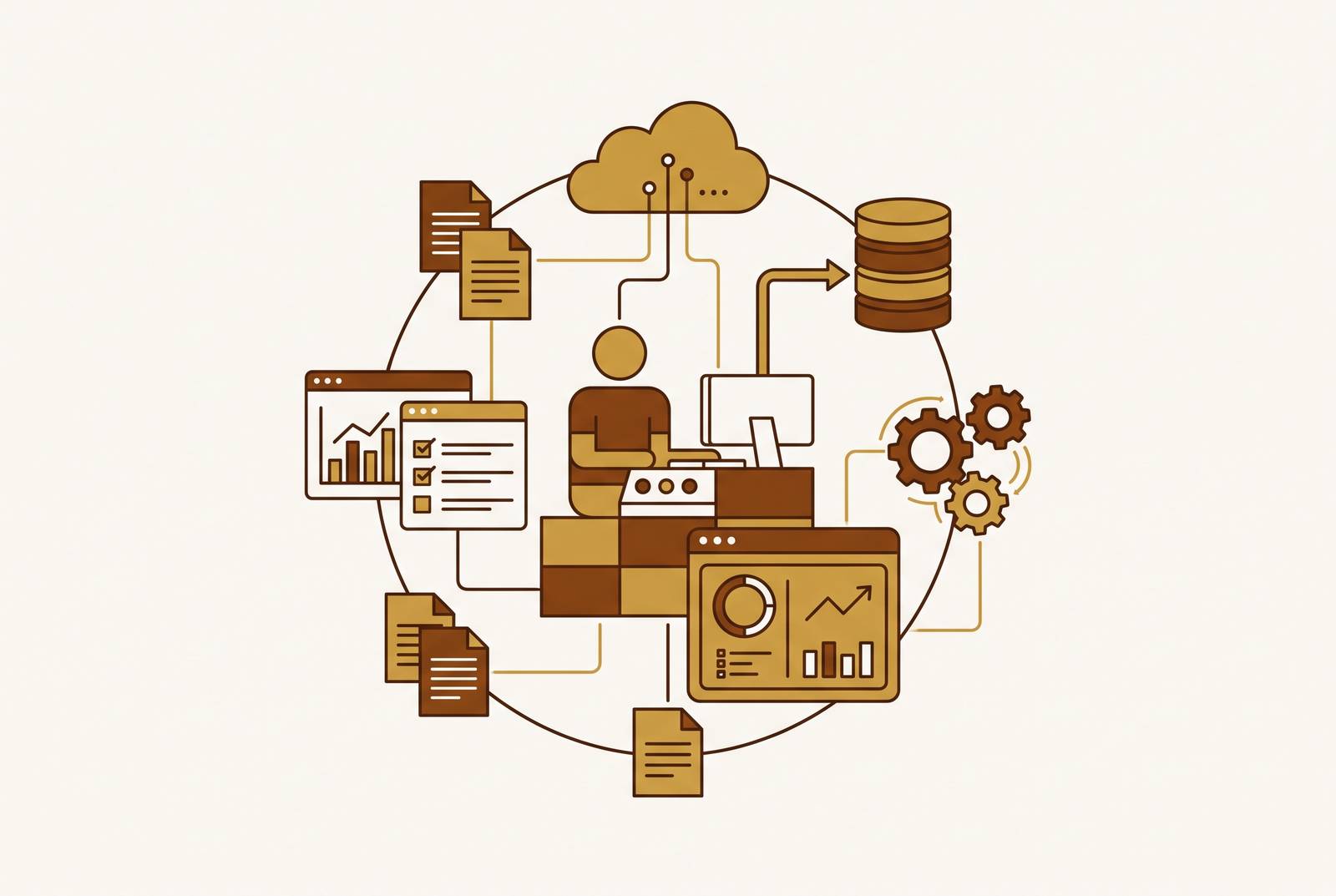
A solo enrolled agent can run a 200-plus-client practice without adding staff by connecting five technology layers that remove manual work from preparation, tracking, research, document exchange, and security. The goal is a practice in which routine coordination no longer consumes the time needed for complex advisory work.
Why 200 clients is a different operating problem than a smaller client base
Requests for documents, signatures still needed, and deadlines that are getting close all demand attention before tax preparation itself breaks down. With a smaller client base, a practitioner may still fill the gaps by remembering what needs doing and following up with each client. At 200-plus, those manual handoffs become the constraint. Tax knowledge cannot resolve a queue of missing documents, and working longer does not fix a process that requires the same intervention for every client.
The practice now needs to control how returns move through the work, as well as get them done. Standardized document requests, automated reminders, e-signature, and firm client boundaries become prerequisites. Each software layer must eliminate a manual step or prevent a missed deadline. That makes technology spending a capacity decision. Raising fees and reducing low-value engagements complement that investment because available time becomes valuable only when the practice has work worth allocating it to.
The five layers every 200-client solo EA stack must cover
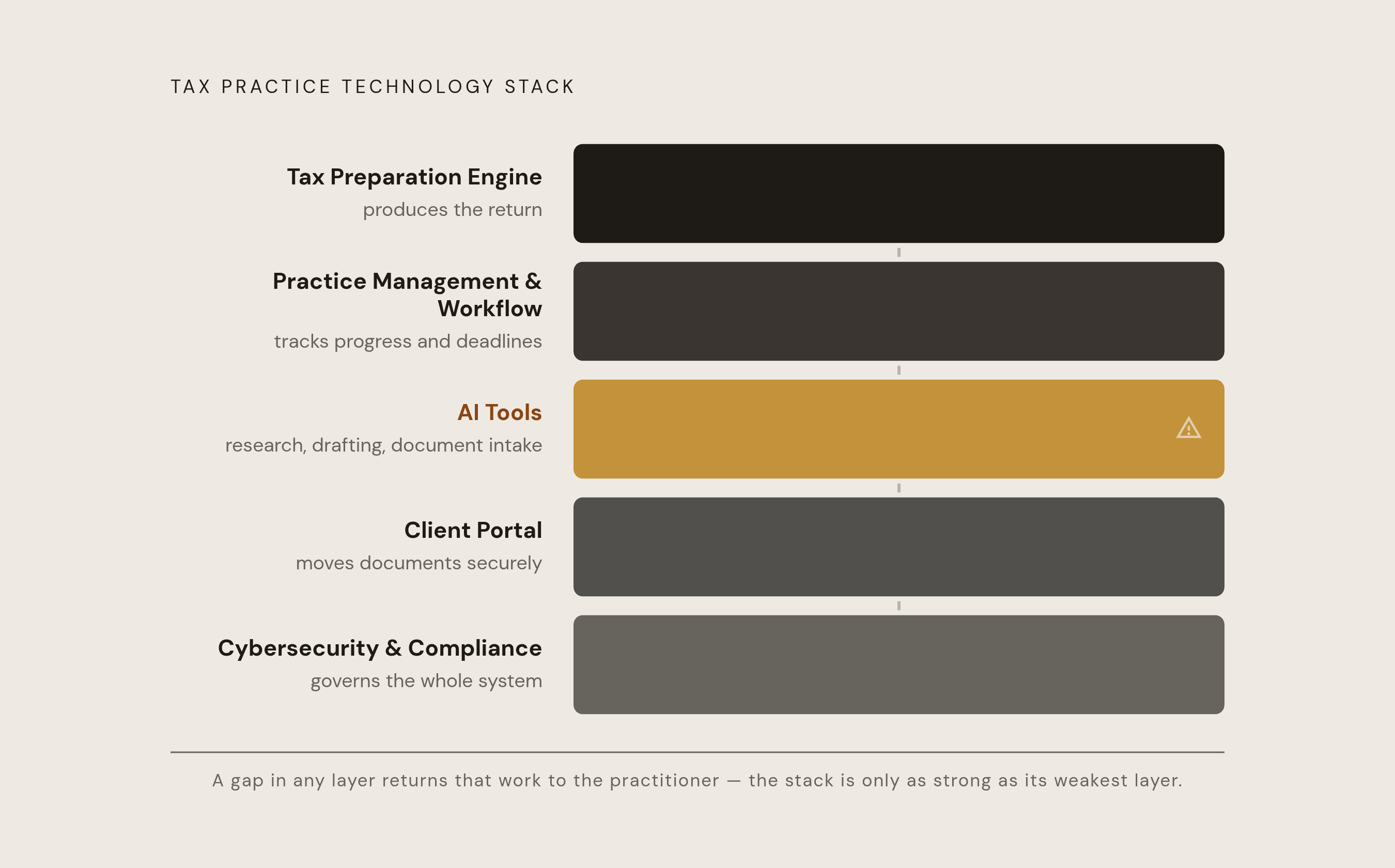
The five layers are the tax preparation engine, practice management and workflow, AI tools for research, drafting, and document intake, client communication and portal, and cybersecurity and compliance infrastructure. Each has a distinct job within the practice. The preparation engine produces the return, while practice management tracks its progress and obligations. AI reduces research and intake work, the portal moves documents securely, and the security layer governs how the whole system protects client information.
A missing layer returns work to the practitioner. Buying several tools does not solve that problem if someone still has to manage the handoffs between them. The stack must remain affordable, easy to use, and operable by one person under peak load. How well the tools work together matters more as volume grows because even a small handoff task, repeated for every client, can cancel out the gains from an otherwise useful tool.
Choosing a tax preparation engine: Drake vs. Lacerte and when each fits a solo EA
The Drake versus Lacerte decision begins with client mix. At 200-plus returns, Drake’s flat-fee unlimited model pays off as volume grows, while Lacerte’s depth matters more as the work gets more complex. Neither consideration settles the choice alone. A solo EA handling primarily individual returns faces a different economic decision from one whose practice is moving toward advisory-heavy, complex engagements.
Drake Tax Pro charges a flat annual per-user fee for unlimited returns of all types. Drake Tax 1040 instead covers unlimited individual returns, but business returns must be bought separately. That distinction affects the purchasing decision directly. A primarily individual-return practice can assess the narrower plan, while a mixed practice must account for its business-return needs. Drake Tax is billed annually, and its unlimited model reduces cost per return as volume grows.
Lacerte fits the other branch of the decision. When complex work becomes a larger share of the practice, its depth may justify the cost increase over Drake. The choice need not be permanent. An EA who starts with volume-oriented preparation can reassess the engine as the client mix changes, rather than allowing an earlier purchasing decision to dictate which engagements the practice accepts.
Whichever engine fits, the practice still needs professional preparer software. The operating requirements include multi-client workflows, bulk e-file, and support for representation tasks, with a valid PTIN and EFIN required for the professional preparation and filing operation. Consumer products cannot substitute for that infrastructure. ATX and other professional tax preparation products are relevant alternatives, but the same economics-and-complexity test should govern their consideration rather than a feature comparison detached from actual work.
Practice management and workflow: how jobs, deadlines, and representation work move through the practice
Practice management records where every return stands, which deadline applies, and what the client still owes. Without that record, the practitioner becomes the tracking system. The core functions include job tracking, deadline monitoring, invoice management, client portal access, and e-signature flow. When those functions depend on email or memory, coordination expands with the client roster even if preparation becomes faster.
A simple job board used consistently can outperform a complex platform abandoned during busy season. Trello, Asana, and Jetpack Workflow are options for keeping deadlines visible and workflows aligned. They do not remove the need for standardized procedures. The National Association of Enrolled Agents’ EA Journal identifies moving procedures out of the practitioner’s head and into digital form as a critical step toward scaling. The software gives those procedures a place to operate.
Representation work adds a separate set of requirements. EAs who do a lot of tax resolution work may need a workflow that includes IRS transcript monitoring, automated account-change notifications, and pre-filled IRS Forms 2848 and 8821. General practice management tools do not necessarily provide those capabilities natively. IRSLogics is a tax resolution CRM and case management system built for attorneys, CPAs, enrolled agents, and tax resolution firms, making it relevant to that subset.
Preparers need to audit coverage and overlap. Preparers may pay separately for transcripts, notice response, and case management when a purpose-built tool would include those capabilities. A practice may also keep portals that do the same jobs and a separate e-signature tool even though a practice management platform includes both. Consolidation can reduce cost and coordination, but the deciding question is whether the resulting workflow matches the services the EA actually delivers.
Where AI tools fit in the stack: research, document intake, and drafting
AI tools offer the clearest benefit when attached to a defined task inside an established workflow. Document classification, tax research, and first-draft representation responses are distinct needs. Intake is an immediate candidate for time savings. A single 1040 client may submit dozens of files in different formats, and tools that classify those documents and flag missing items can take triage work off the practitioner’s desk.
Research requires a different selection test. The EA Journal identifies Bloomberg Tax and chatbot-based research assistants as tools EAs can integrate, with the explicit caution that all AI outputs require independent verification. Speed alone is not sufficient. A research tool earns its place when it compresses the search process without displacing the practitioner’s responsibility to establish the applicable facts and law.
For a CP2000 response, the practitioner can supply anonymized facts and receive a structured draft, then verify basis figures, attach a substitute computation, and sign. Human review remains essential to the engagement. The useful output is a draft that shortens preparation.
Purpose-built tax AI tools are generally a closer fit for specialized work because they are trained on or grounded in tax-specific content. They are also more likely to have data handling controls suited to professional use. Those controls still require examination. The selection criteria are therefore workflow fit, tax grounding, review requirements, and defined data handling policies, with the compliance obligations addressed below setting the limits on use.
Client portal and scheduling tools: moving documents and meetings out of email
The FTC Safeguards Rule, codified at 16 C.F.R. Part 314, counts tax preparation services as financial institutions. IRS guidance also addresses taxpayer data security. Plain email cannot provide the access logs, expiring links, or proof of client delivery described in the portal requirements, making secure document exchange a compliance concern as well as an efficiency decision.
The operating standard is to use a portal for anything containing a Social Security number, a bank statement, or a signed return. Email still works for scheduling and non-sensitive questions. The portal also supports document reminders and tracks what has arrived, reducing time spent chasing outstanding items.
Scheduling tools address the remaining appointment back-and-forth. The EA Journal names Calendly as a tool that lets clients book meetings without repeated emails. Short video messages can also replace lengthy explanations of tax changes or routine client check-ins. These communication choices serve a narrow purpose, which is to reduce repetitive exchanges without removing the practitioner from conversations that require professional judgment.
The cybersecurity and compliance layer: what the FTC Safeguards Rule and OPR Alert 2026-19 require of every solo EA
Connecting preparation, portals, and AI creates responsibilities that cannot be delegated simply by buying software. A solo practice needs an information security plan, commonly called a WISP, that is written, up to date, and signed. Small size does not make security optional. The FTC Safeguards Rule provides the framework for protecting customer information, while the practitioner remains responsible for how the selected services fit into that framework.
Section 314.4 addresses a designated Qualified Individual, written risk assessment, administrative and technical safeguards, and service provider oversight with enforceable contracts. Its framework also covers monitoring and testing, documented employee training, an information systems inventory, a written incident response plan, and annual program review. A WISP must describe an operating program. It cannot serve its purpose as a document disconnected from the systems that hold client information.
Multifactor authentication is a central access requirement. The Rule requires it for anyone accessing customer information from an information system unless the Qualified Individual approves reasonably equivalent or more secure controls in writing. Relevant systems include tax software, the e-file portal, the client portal, email, cloud storage, and remote-access tools. The EA Journal likewise identifies MFA as a foundational cybersecurity measure.
Each knowing violation can bring a large civil penalty. The FTC’s 2026 penalty amounts stayed at 2025 levels without the usual yearly adjustment for inflation. Non-compliance can also lead to IRS EFIN suspension for violations of e-file provider rules, blocking electronic filing, as well as separate state attorney general enforcement. The exposure therefore reaches beyond the cost of a security incident to the practice’s ability to deliver its core service.
OPR Alert 2026-19, issued June 24, 2026, adds the AI-specific connection to the earlier tool-selection decision. “Introductory Guidelines for Responsible AI Use in Federal Tax Practice” requires practitioners to independently authenticate AI-generated factual and legal information, including facts, citations, calculations, and conclusions. Blind reliance can conflict with Circular 230. Section 10.22 addresses due diligence on facts and citations, while Section 10.37 governs written tax advice.
Feeding client return information into unsecured or public AI platforms can trigger penalties under provisions governing unauthorized disclosure because operators may retain or process the information in ways that expose it. The Alert does not require disclosure every time AI is used on a return, while the AICPA recommends signed disclosure. IRC Section 7216 already requires consent before return information is shared with outside parties, which can happen when AI is used. The practical implication is to select tax-professional-focused tools with defined data policies and independently verify their output, rather than treating specialization as automatic compliance.
How the stack works as a system: where practitioner time actually goes when each layer is in place
Linking the tools together means giving up some flexibility. More importantly, software cannot correct an unprofitable client mix or fees that fail to reflect the work. The stack is necessary but not sufficient. An EA who creates capacity without raising fees or reducing low-value engagements may simply fill the available time with more routine preparation.
The advisory opportunity is the reason to make those decisions together. Multi-year tax planning, representation strategy, and entity structuring need time that would otherwise go to chasing documents and keeping routine work on track. The practice’s growth then depends less on processing another return and more on the judgment only the enrolled agent can provide.